Dino Run
Read the next obstacle before the desert speeds up.
Your session starts here.
English game interface · Flexible orientation
Choose Load game to start.
- Input
- Keyboard + Pointer + Touch
- Language
- English
- Screen
- Flexible orientation
- Progress
- Stored by the game host
Inside Dino Run
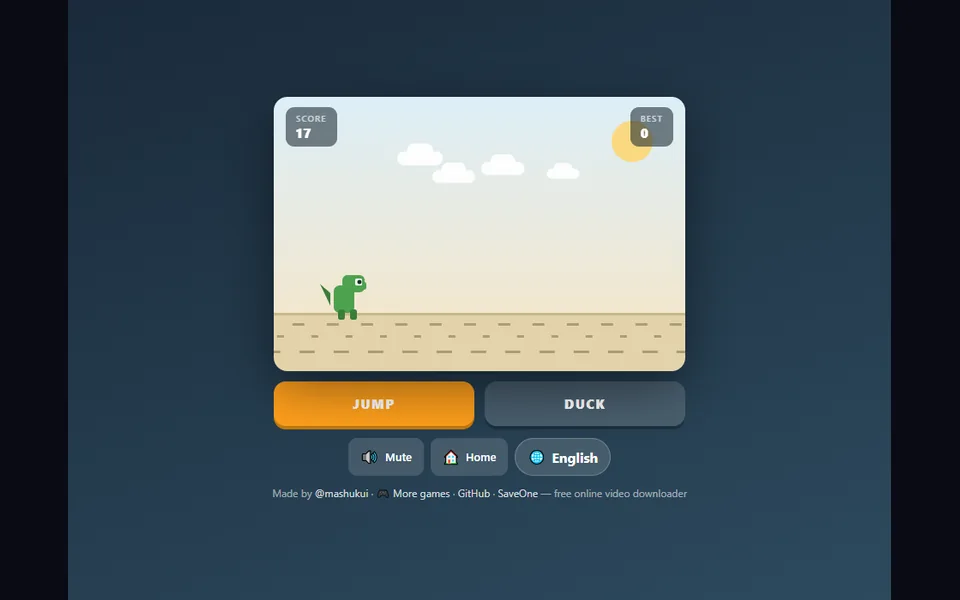
Read the next obstacle before the desert speeds up. Endless desert dash. Jump the cacti, duck the birds, speed up forever. Jump for the approaching obstacle rather than reacting to the one already behind you. Use the displayed jump and duck controls, or the touch buttons.
The game retains its English interface. Its own menus and tutorial describe the current release.
Make your move.
- Use the displayed jump and duck controls, or the touch buttons.
- Use the game’s own menu for a new round, difficulty and sound options where available.
Click or tap inside the player before using keyboard controls. Flexible orientation. Touch support does not guarantee the same performance on every phone.
A good place to start.
Jump for the approaching obstacle rather than reacting to the one already behind you.
Session notes.
Pause, reload & saved progress
Pause using the game’s own controls before leaving. SENOVIRA cannot reliably pause or mute an external game. Reload restarts the frame and may discard unsaved progress; Unload removes it. Neither clears the game’s storage. Browser privacy settings may separate embedded and direct saves.
Playing & savesCreator, license & official release
mashukui · MIT
Dino Run by mashukui. MIT license. Official release embedded without modifying its code. Separate hosting policies apply.
Source code may be newer than the playable release. Loading the player contacts mashukui.github.io; this host controls the game’s requests and storage.